Teenage Mutant
Ninja Turtles
2003
BACK TO 2003 · FAN PROJECT
I brought this game to the browser to relive the old days—four turtles, New York, and just one more level. Pick your favorite and jump in.
Save files
Save your progress in the original game menu, then return here to download it or import a PC save. Close running game tabs before transferring saves.
Saves stay on this browser and device. Download a copy to move your progress to another device. This transfers saved progress, not an unsaved mid-fight snapshot.
Use all-unlocked save replaces saved progress and keeps your current save as a backup. Close the game first.
Checking this browser for a saved game…
Compatible file: SaveGame.dat from Teenage Mutant Ninja Turtles (2003) for Windows PC. Extract downloaded archives first. SaveSetting.dat and console/emulator saves use different formats.
The original adventure
Choose a turtle, enter Story Mode and use the original Stage Select screen. Start in the sewers with Things Change, then follow the adventure through New York. The game runs locally in your browser. Downloaded files and settings stay on this device.
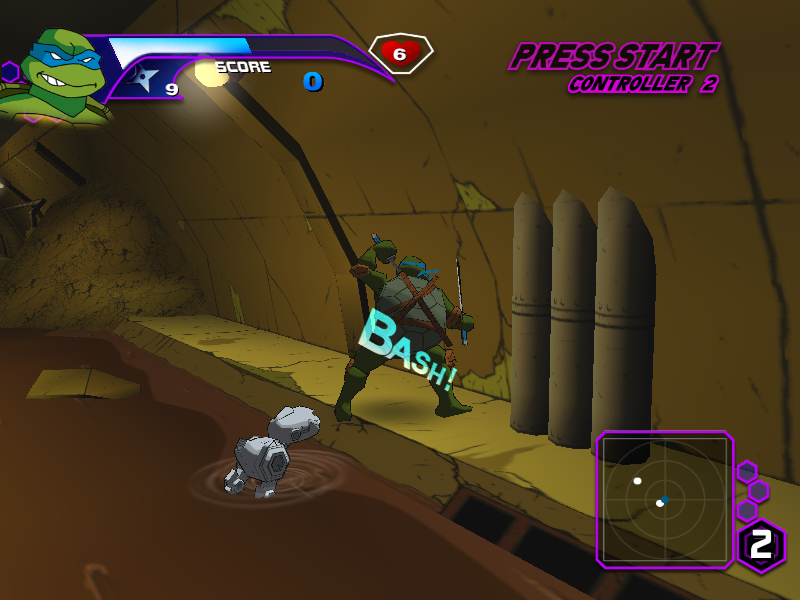
Leonardo in the sewers.
How to play
Keyboard: Arrow keys move, Space jumps, F attacks and confirms, D uses a strong attack and goes back in game menus, S throws shuriken, E dashes, and Esc pauses.
Mobile: Move with the left stick and use the action buttons on the right. The gear beside fullscreen changes graphics quality and offers ten button layouts. Tap the stick’s arrows to move through menus, or drag to move. Full display resolution is the default; choose Auto for adaptive resolution on slower devices.
Before you start
Use a browser with WebGPU enabled. The first launch downloads game files and can take longer on a slow connection. A stable connection and landscape orientation work best on a phone. Higher resolution costs more GPU time, especially during busy fights.
Local browser storage keeps downloaded files and saves. Clearing this site’s data removes them.